
You’ve been wearing your smart watch every day — tracking steps, monitoring your heart rate, staying on top of notifications — and suddenly the strap looks worn, feels uncomfortable, or just doesn’t match your style anymore. Sound familiar?
Here’s the good news: you don’t need a watchmaker, a specialty store, or even a screwdriver in most cases. Replacing your smart watch strap at home is one of the easiest ways to refresh your wearable and make it feel brand new. This guide walks you through the entire process — clearly, quickly, and practically — so you can get back to wearing your watch with confidence.
And if your current watch has seen better days beyond just the strap, we’ll talk about that too.
Why Changing Your Smart Watch Strap Is Worth It?
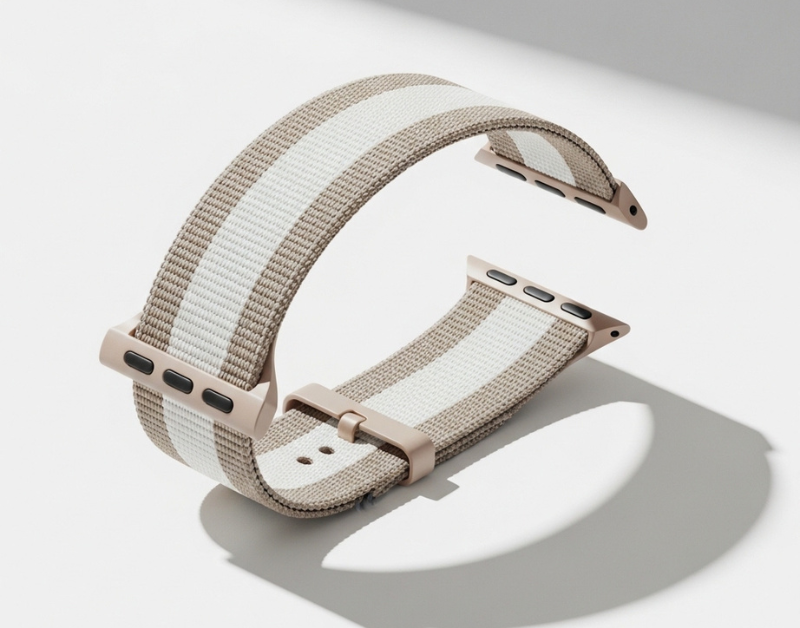
Smart watches are built to be personal accessories, not one-size-fits-all gadgets. The strap is the part of your watch that touches your skin, reflects your personality, and takes the most wear and tear every single day. for more details visit here!
Over time, silicone straps can stretch or crack. Fabric bands absorb sweat and lose their structure. Even metal link bands can feel heavy or pinch over time. Swapping the strap doesn’t just solve a cosmetic problem — it can genuinely improve comfort, hygiene, and how well your watch fits your wrist.
Beyond practicality, it’s also a surprisingly fun way to personalise your smart watch. A sporty rubber band for the gym, a clean braided nylon for the office, or a sleek silicone in a new colour for the weekend — the same device can look completely different with a different band.
What You Need Before You Start?
The good news is that most modern smart watches are designed with strap swapping in mind. Here’s what to gather before you begin.
Tools You May Need:
For the majority of contemporary smart watches — especially those with quick-release spring bar systems — you won’t need any tools at all. You’ll just use your fingernail or the small lever on the strap itself.
However, depending on your watch model, you might find it helpful to have:
- A spring bar tool or a thin flathead screwdriver (for older or non-quick-release designs)
- A soft cloth to lay the watch face-down on while you work (to avoid scratching the display)
- A small flashlight if the spring bars are hard to see
Most smart watches straps sold today — including those available for popular models — use a tool-free quick-release mechanism. If you’re not sure what type yours uses, flip the watch over and look at where the strap meets the watch case.
Choosing the Right Replacement Strap:
Before buying a replacement, note two things: the lug width (the measurement in millimetres between the two points where the strap connects to the case) and the attachment type used by your watch.
Common lug widths for smart watches are 20mm, 22mm, and 24mm. Your watch’s manual or the manufacturer’s product page will confirm the correct size. Getting this wrong means the band either won’t fit or will look awkward on the case.
Once you have the size, the world opens up. Silicone, leather, nylon, stainless steel, and braided options are all widely available — and choosing the right material makes a meaningful difference in daily comfort.
How to Replace Your Smart Watch Strap Step by Step:
Step 1 — Identify Your Strap Attachment Type:
Turn your watch over and look at the connection point between the strap and the case. You’ll likely see one of the following:
- Quick-release spring bars — these have a small lever or button on the inside of the strap that you push to release the bar. No tools required.
- Standard spring bars — a small pin sits inside a groove. These require a spring bar tool or thin flathead screwdriver to compress and release.
- Screws or pins — less common in modern smart watches but found in some models. A small Phillips screwdriver is needed.
Knowing your type before you start saves frustration.
Step 2 — Release the Old Strap:
Place the watch face-down on a soft surface. For quick-release straps, simply slide the small lever inward toward the centre of the strap and the spring bar will release. Gently pull the strap outward as you do this.
For standard spring bars, insert your spring bar tool or thin screwdriver into the gap between the strap and the case lug. Gently push the spring bar toward the centre of the strap to compress it, then angle the strap out and away. Repeat on the other side. Be gentle — the spring bar can fly out if you apply too much pressure.
Keep the old spring bars somewhere safe. You may need them for the new strap if it doesn’t include its own.
Step 3 — Align and Attach the New Strap:
With the old strap removed, take your new smart watches strap and align the spring bar with the lug holes on the watch case. If your new strap is a quick-release type, compress the lever, position the bar inside the lug hole, and release. You should hear or feel a small click.
For standard spring bars: insert one end of the bar into one lug hole first, compress the spring on the other end, align it with the second hole, and release. Again, a satisfying click tells you it’s locked in.
Repeat for both the top and bottom strap pieces.
Step 4 — Test the Fit and Finish:
Before putting the watch back on, give each strap end a gentle tug to confirm it’s properly seated. There should be no movement or wobble at the connection point.
Put the watch on your wrist and close the clasp. Check that the fit feels secure and comfortable. If the strap is adjustable, take a moment to find the right hole or position for your wrist size. You’re done.
Common Mistakes to Avoid When Swapping Watch Bands:
Even a straightforward job has a few pitfalls. Here’s what to watch out for:
Buying the wrong lug width. This is the most common mistake. Always confirm your watch’s lug width before purchasing. A 20mm band on a 22mm lug simply won’t work.
Scratching the case. Laying the watch face-up while working, or using a metal tool carelessly near the case, can leave marks on the watch body. Always use a soft cloth and work gently.
Forcing a stuck spring bar. If a spring bar feels stuck, don’t force it. Apply very light pressure from multiple angles. Forcing it can scratch the lug or even break the bar.
Losing the spring bars. These small metal pins have a habit of flying across the room. Work over a table with a light-coloured cloth so they’re easy to spot if they spring loose.
Ignoring the strap material for your use case. A leather strap looks elegant but isn’t ideal if you swim or sweat heavily. Choose the material that suits how and where you actually wear your watch.
How to Choose a Smart Watch Strap That Matches Your Lifestyle?
The right smart strap isn’t just about looks — it’s about how you live. Here’s a quick reference to help you decide:
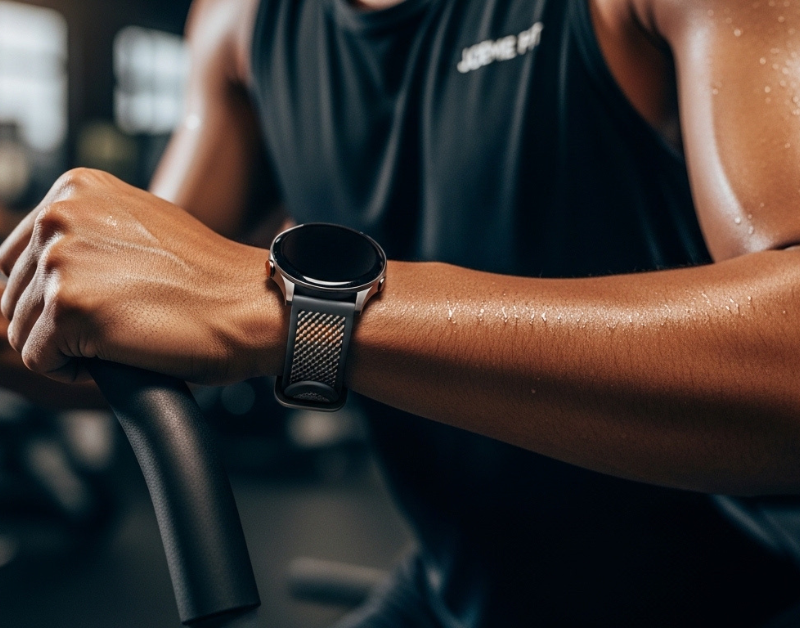
Silicone / Rubber — Sweat-resistant, easy to clean, comfortable for all-day wear. Great for workouts, outdoor activities, or hot climates. This is the most popular smart watch band material for good reason.
Braided Nylon — Breathable, lightweight, and casual. Works well for everyday wear and comes in a huge variety of colours. Holds up surprisingly well for the price.
Leather — Refined and professional. Best for office settings or occasions where you want your watch to look more like a traditional timepiece. Avoid getting it wet regularly.
Stainless Steel Mesh or Link — Durable, stylish, and dress-ready. Heavier than fabric options but gives a premium look. Adjust with care to get the right fit.
Think about your daily routine. If you’re wearing your smart watch from the morning run through the work meeting and into the evening, a silicone or nylon band gives you the most flexibility without sacrificing comfort.
When It’s Time to Upgrade Beyond the Strap:
Sometimes a new strap is exactly what you need. But sometimes — especially if your watch is a few years old, the display is scratched, the battery barely lasts a day, or the sensors are giving unreliable readings — the more satisfying solution is a full upgrade.
Modern smart watches have come a long way. Better displays, longer battery life, more accurate health tracking, and slimmer profiles make upgrading a genuinely worthwhile experience — not just an incremental one.
At Joeme.fit, you’ll find a curated collection of smart watches built for real life. Whether you’re looking for a fitness-focused sport watch, an everyday wearable with smart notifications, or a feature-packed device with heart rate monitoring and multiple sports modes, the Joeme.fit store has options designed to deliver premium functionality at approachable prices.
The Joeme.fit store offers secure payments, easy order tracking, and a hassle-free returns policy Joeme — so shopping online feels as low-risk as it should. The online store is designed to be intuitive and customer-friendly, with clear product descriptions and easy checkout options.
Find the one that fits your wrist and your life.
FAQ: Smart Watch Strap Replacement:
Q: Can I replace a smart watch strap without any tools? Most modern smart watches use quick-release spring bars that can be swapped with just your fingers or a fingernail. Check your specific model, but in the majority of cases, no tools are needed.
Q: How do I know what size strap to buy for my smart watch? Check the lug width — the distance in millimetres between the two lug points on your watch case. This is usually listed in the product specifications on the manufacturer’s website or in your watch manual. Common sizes are 20mm, 22mm, and 24mm.
Q: How often should I replace my smart watch strap? This depends on use and material. Silicone straps used during heavy workouts may show wear within 12–18 months. Fabric bands can degrade faster if frequently exposed to sweat. Replace whenever you notice cracking, stretching, odour that doesn’t wash out, or discomfort.
Q: Are aftermarket smart watch straps safe to use? Yes, as long as they are the correct lug width and attachment type for your watch. Quality aftermarket straps from reputable sellers are a perfectly sensible and cost-effective option.
Q: Will changing the strap void my smart watch’s warranty? In most cases, no. Strap replacement is a standard user action and generally doesn’t affect the watch’s warranty. However, check your specific manufacturer’s terms if you’re unsure.
Q: What’s the best smart watch strap material for sensitive skin? Braided nylon and high-quality silicone are generally the most skin-friendly options. Avoid low-grade rubber or synthetic materials if you have known sensitivities, and always make sure the strap is clean and dry to reduce irritation.
Conclusion:
Replacing your smart watch strap at home is one of the simplest ways to breathe new life into your wearable. With the right replacement band and a few minutes of patience, you can change the look, feel, and comfort of your watch entirely — no professional help required.
That said, if your watch itself is starting to show its age, a new strap is only a temporary fix. Sometimes the smartest move is to start fresh with a watch that matches where you are in life right now — your fitness goals, your style, your budget.
Joeme.fit makes that easy. With a collection that balances modern style, intelligent features, and lasting durability, Joeme.fit is helping redefine wristwear for a new generation — at prices that don’t ask you to choose between quality and affordability.